 Meme AI Video
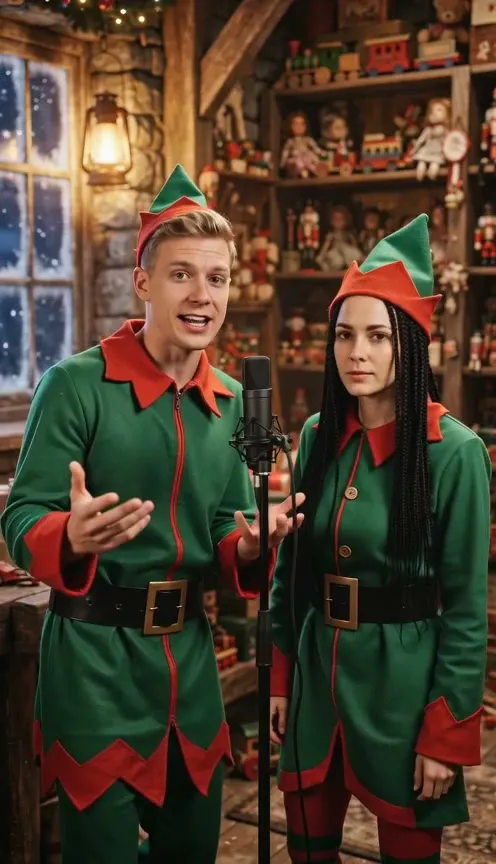
Christmas Elf Rap2 adult portraits · 15s · 10 credits
You two dress up as elves and rap an original Christmas song in a toy workshop full of wrapped gifts.
Christmas · Updated Nov 5, 2026
Pick a Christmas rap, turn yourself into a dancing elf, or catch Santa leaving presents. Choose a scene to see what photo to upload and watch its sample.

Christmas Elf Rap
2 adult portraits · 15s · 10 credits
Step 2 · Add your photos
Adults 18+ onlyLeft elf
first verse
Right elf
second verse
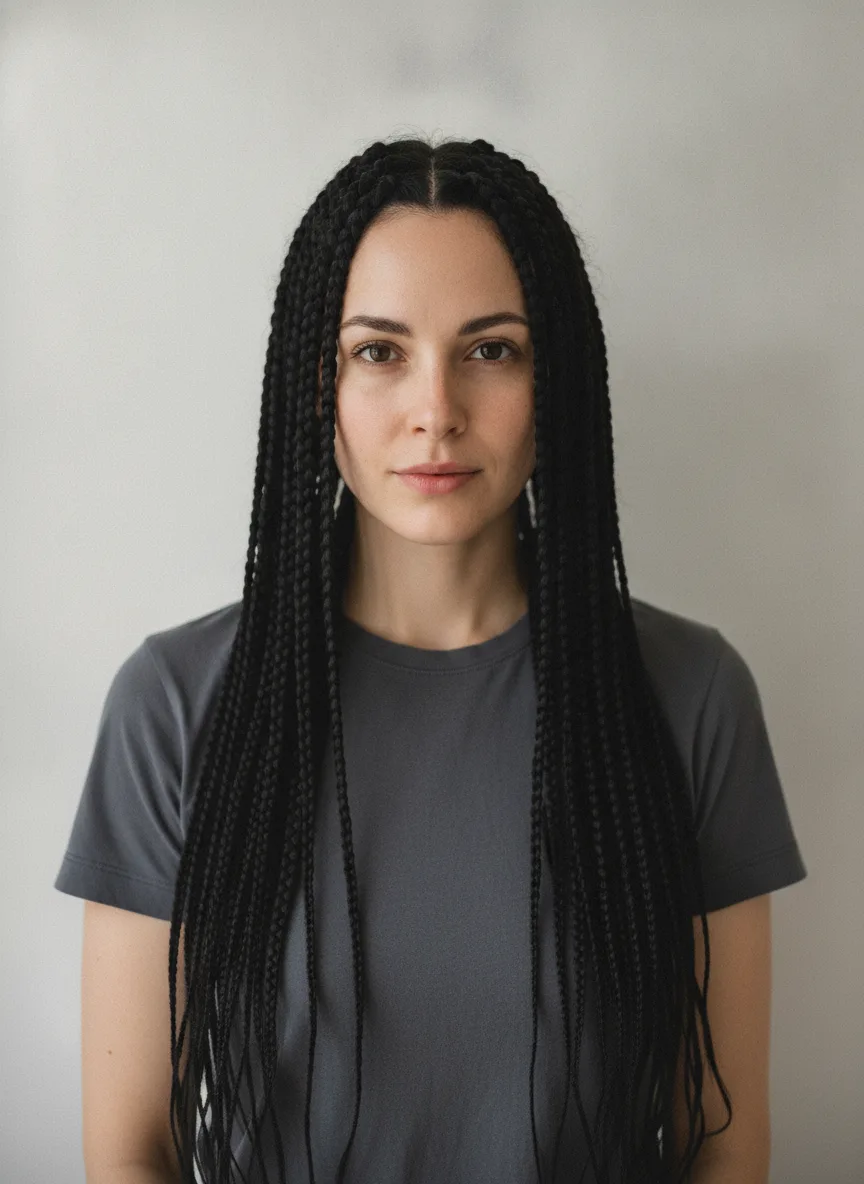
Front-facing head and shoulders · Even light, no sunglasses · Adults 18+ only
Pick a theme to fill four lines, or write your own. To draft a friend roast with AI, use the lyrics tool, then add it to this video draft.
Step 4 · Quality
Step 5 · Confirm
15s · 10 credits · packs from $6.99
One-time payment · Failed renders refund credits
An AI Christmas video generator here makes a short Christmas clip from your own photos, with nothing to film or edit. Two adult portraits become an elf or Santa-and-elf rap duo singing an original Christmas song. One portrait becomes a dancing elf. One photo of your living room or front door becomes a night-vision camera clip of Santa leaving gifts. Every scene is a vertical MP4 for TikTok, Reels, Shorts or the family chat.
Every scene comes with its own original verse. Christmas Elf Rap:
Left: Clocked in early at the workshop door
Right: Wrapping up the gifts, then we wrap some more
Left: Pointy hats on and the little bells ring
Both: Workshop crew, now hear the elves sing
Santa & Elf:
Left: Ho ho ho, yeah the big man's in the room
Right: List checked twice and we're delivering soon
Left: Sleigh on the roof and the reindeer are fed
Both: Santa and the elf, now it's time for bed
Choose a rap duet, an elf dance or a Santa camera clip.
Use two adult portraits for rap, one for the elf dance, or one photo of your empty living room for Santa.
In about 2–10 minutes your video is ready to download and post, or send as a video Christmas card.
| Length | 15 seconds |
|---|---|
| Format | Vertical 9:16 MP4 |
| Audio | AI original Christmas rap + beat |
| Outfits | Scene's Christmas costumes; face and hair kept |
| Watermark | None |
| If it fails | Credits returned automatically |
| Credits | 10 credits (packs from $6.99) |
| Ready in | About 2–10 minutes |
Who is this Christmas video for?
Merry Christmas from the workshop crew
#AIChristmasVideo #ChristmasRap
We made a Christmas card without filming once
#AIChristmasVideo #ChristmasRap
Choose a rap duet for two people, an elf dance for one person, or the security-camera scene for a photo of your living room.
Videos are usually ready in about 2–10 minutes, so you can make one the same day you send it. Post it as a video Christmas card on TikTok, Reels or Shorts, or drop it in the family chat. The selected scene and quality setting show the credit cost. Packs start at $6.99.
10 credits · ≈ 1 Better video
$6.99
≈ $6.99 / Better video
≈ 1 video of this template
50 credits · ≈ 5 Better videos
$29.99
≈ $6.00 / Better video
Save 14%
≈ 5 videos of this template
120 credits · ≈ 12 Better videos
$59.99
≈ $5.00 / Better video
Save 28%
≈ 12 videos of this template
Vertical MP4 ready for TikTok, Reels and Shorts.
An original Christmas rap song and beat, made by AI for your video.
You keep your faces and hair; clothes become the scene's Christmas costumes.
Two ways. Santa Caught on Camera: upload one photo of your living room or front door and get a 10-second night-vision camera clip of Santa leaving gifts. Santa & Elf: upload two adult portraits and one of you plays Santa, rapping an original Christmas song with an elf. Both use credits; neither is free.
Yes. Christmas Elf Rap, Santa & Elf and Elf Dance use the face from your portrait and dress you in the scene’s costume. Santa Caught on Camera uses a photo of your room instead, so no face is needed.
Pick a Christmas scene and upload the photos shown in its form. Use two adult portraits for rap, one for Elf Dance, or an empty living room photo for Santa Camera.
Yes. Choose a rap duet for two adults. Use one photo per person and get permission from both people before uploading.
Try Christmas Elf Rap to turn two adults into a rap duo in a toy workshop. Pick Santa & Elf if you want one person to play Santa and the other to play an elf in a North Pole cabin. Both scenes come with an original AI rap and beat.
Pick a scene, upload the photos it asks for, and generate your clip. Download the vertical MP4 and upload it to TikTok.
A tool that makes a Christmas video from photos. Choose a rap duet, an elf dance or a security-camera-style scene with Santa.
Rap scenes use two adult portraits. Elf Dance uses one adult portrait. Santa Camera uses one empty living room photo.
The video is a vertical 9:16 MP4. Check the selected scene for its length.
Yes. Rap scenes have vocals and a beat, Elf Dance has instrumental music, and Santa Camera has ambient sound.
No. The lyrics and the beat are written by AI for this video. No real song, artist or voice is used.
For the rap scenes, you can pick a preset or add four lines to the video draft. The free lyrics tool can help you write them.
Yes. In Christmas scenes you are dressed in the scene's outfits, like elf costumes. Your face and hair stay as they are in your photo.
Yes. Pick Christmas Elf Rap: you both appear as elves in a toy workshop, rapping a Christmas song together — an AI elf video of you two.
Yes. Pick Santa & Elf: one of you appears as Santa and the other as an elf in a North Pole cabin, rapping a Christmas song together.
Yes. Download the video and send it in any chat or post it. It has no watermark.
Video generation uses credits. Packs start at $6.99, and a failed video gives its credits back.
The selected scene and quality setting show the credit cost before you generate. Credit packs start at $6.99.
Most videos are ready in about 2–10 minutes, so yes, even on Christmas Eve.
Front-facing, well-lit, waist-up photos with one person per photo. Avoid sunglasses, masks, heavy filters and group shots.
Photos are used only to make your video and are deleted within 7 days. Nothing is made public unless you share it.
No. Meme AI Video is an independent AI video tool, not affiliated with any brand, artist or app.
An AI Christmas song tool makes audio only. This AI Christmas video generator makes a short video of you and a friend in festive outfits, with an original Christmas rap already in the clip.
Meme AI Video is an independent AI video tool, not affiliated with any brand, artist or app. Example videos are AI-generated.
Want something else? Try the AI rap video generator → · Privacy · Refund policy · Contact
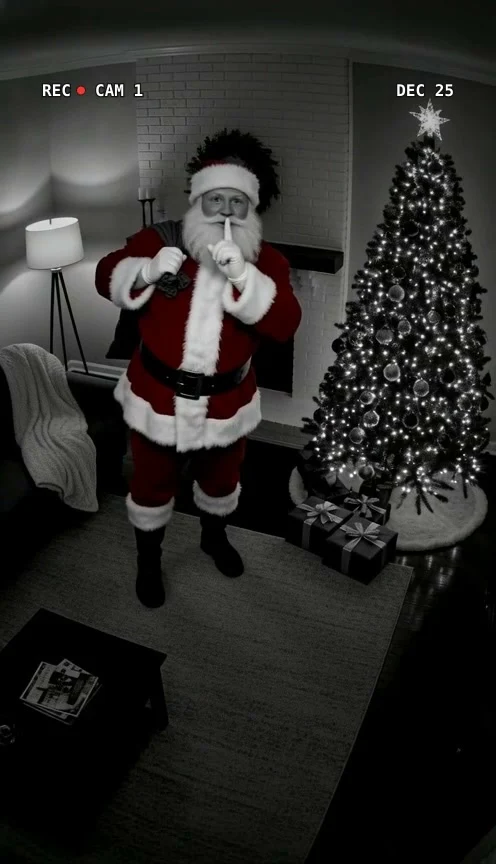 Living room
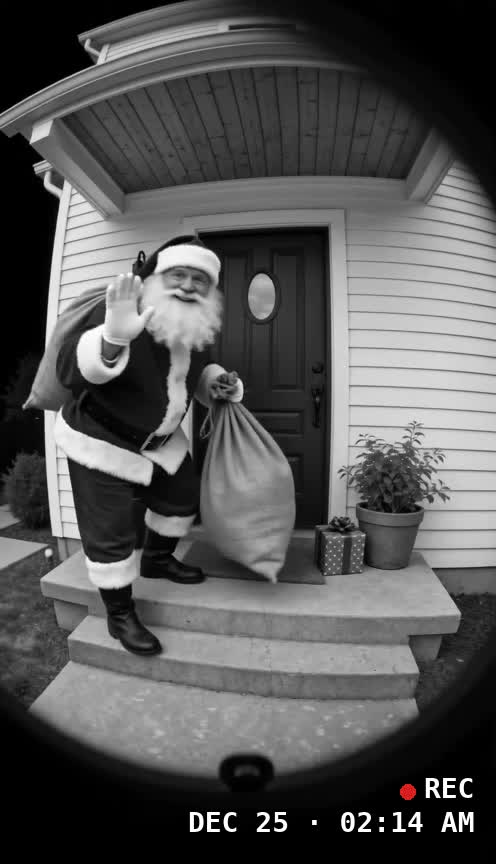 Front door