Meme AI Video
Christmas morning
Look what the camera caught last night.
#SantaCaughtOnCamera
Santa Caught on Camera AI turns one living room or front door photo into a 10-second night-vision video of Santa leaving gifts, with ambient sound. Better at 480p uses 10 credits, worth about $6.00 from the Popular pack, or start with $6.99 for a Starter pack.
Step 1 · Choose a scene
Step 2 · Upload your photo
No people in the photoYour room with the tree. No people in the photo.
10s · 10 credits · packs from $6.99
Credits for a failed video are returned to your balance · Refund policy
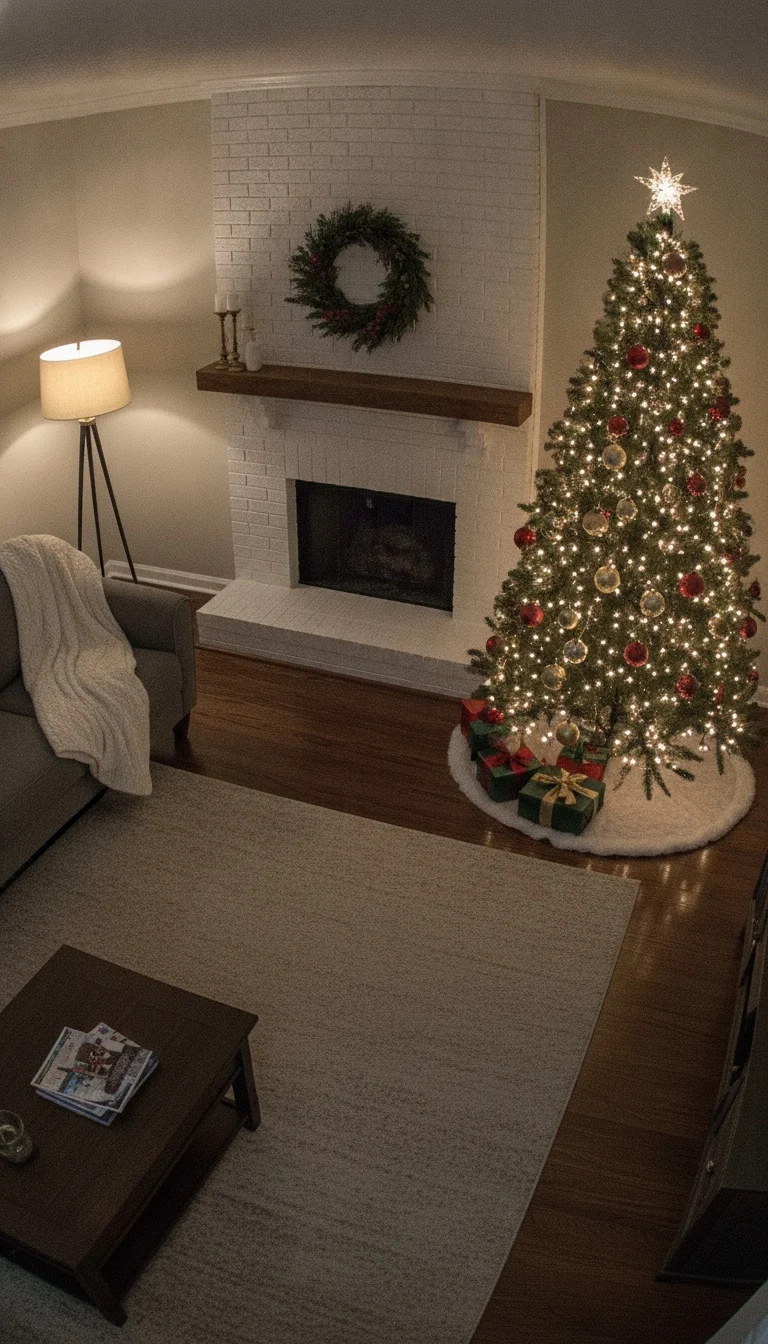
Made from the room photo shown here. Turn up the video volume to hear the sound.
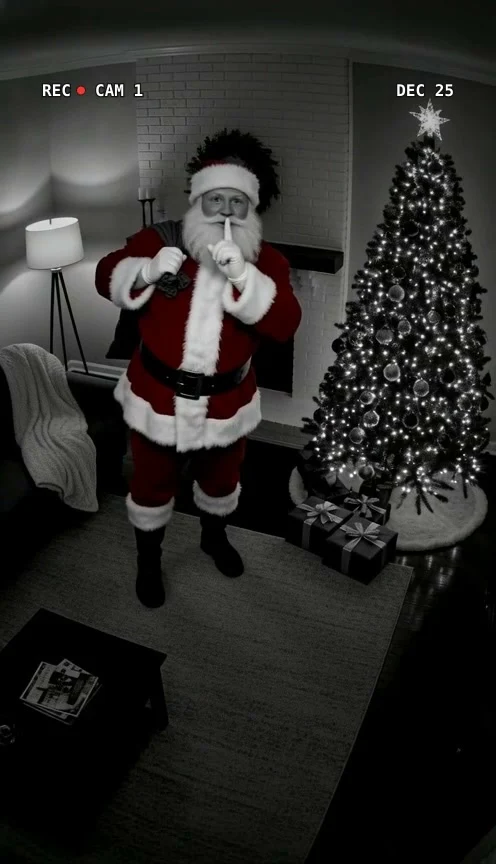
See how the room and camera stay in place as Santa enters, leaves gifts and spots the camera.
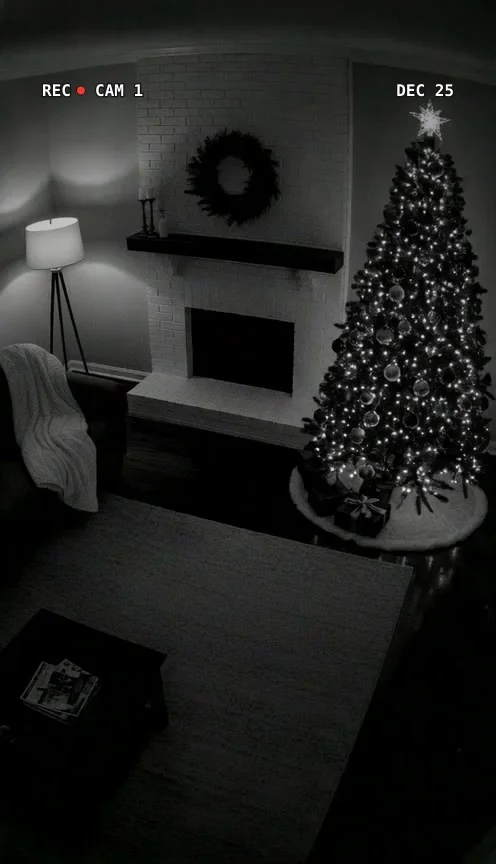
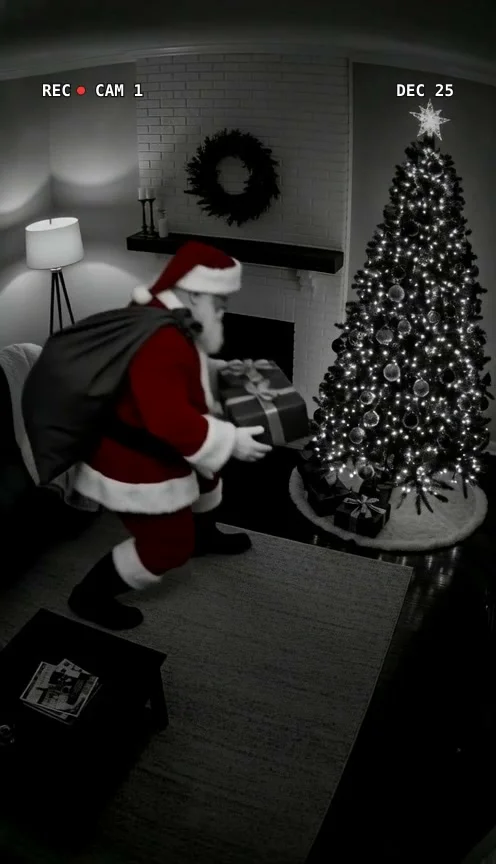
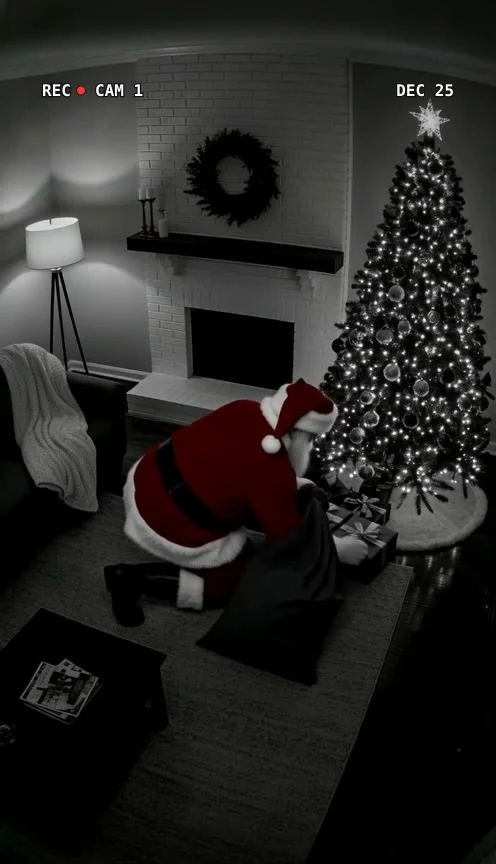
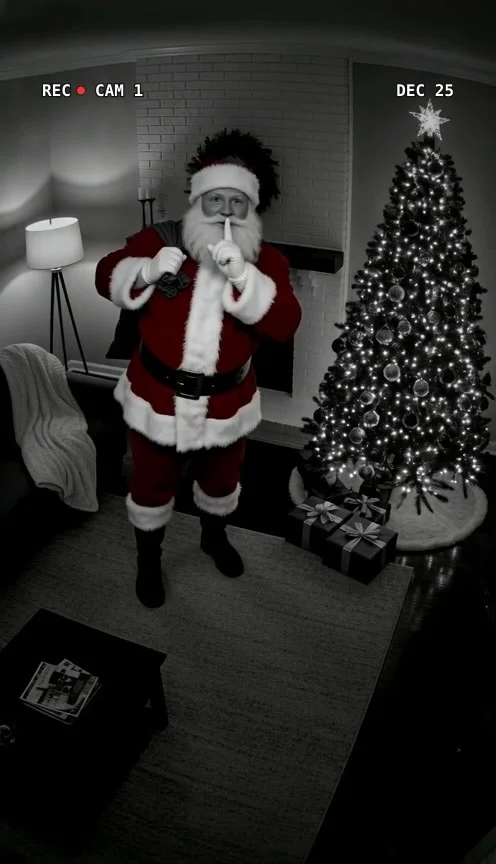
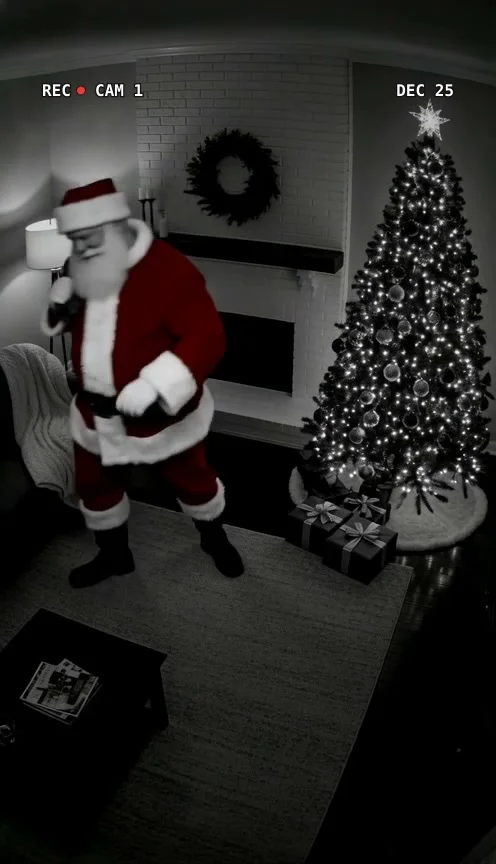
Santa leaves gifts and spots the camera.
Fixed camera with a REC overlay.
Download the video with its audio track.
A Santa caught on camera video makes it look like a home security camera spotted Santa leaving gifts overnight.
This version starts with a photo of your own room and gives the finished scene a night-vision look with a fixed camera and a REC overlay.
Upload a photo of your front door or porch to make it look like Santa was caught on doorbell camera. In the fisheye night-vision clip, he leaves gifts by the doormat and raises a finger to his lips.
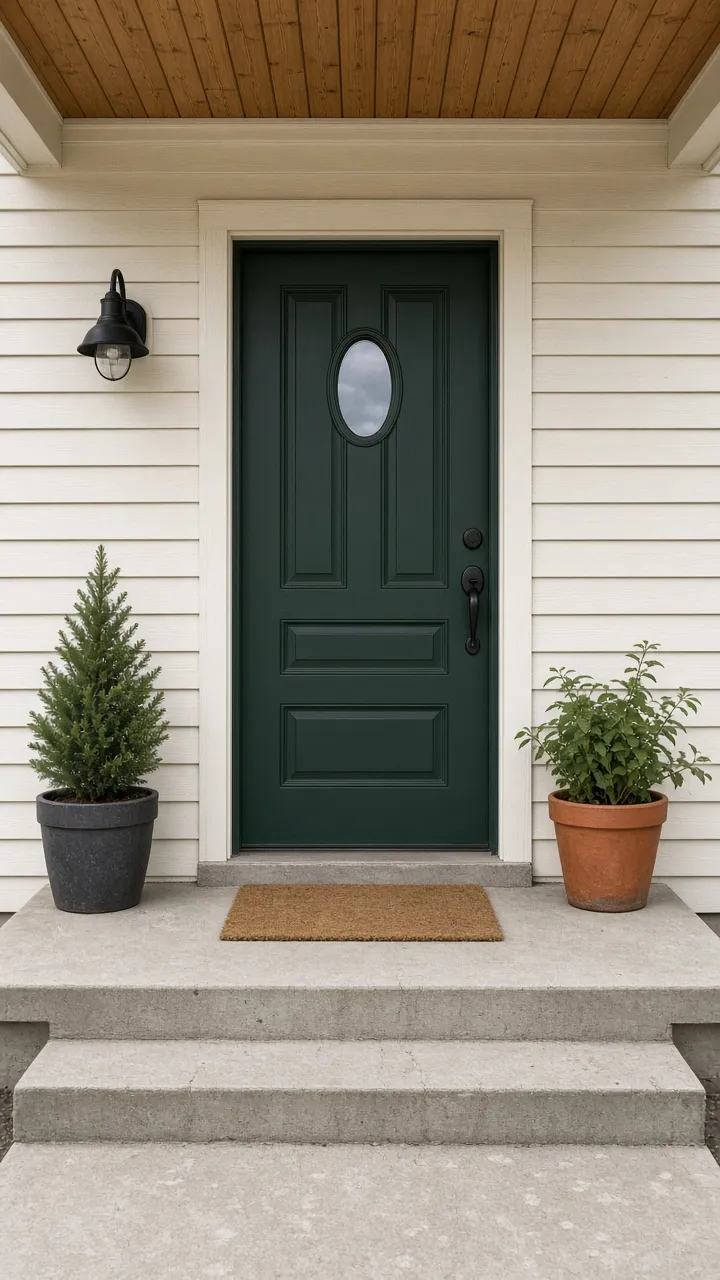
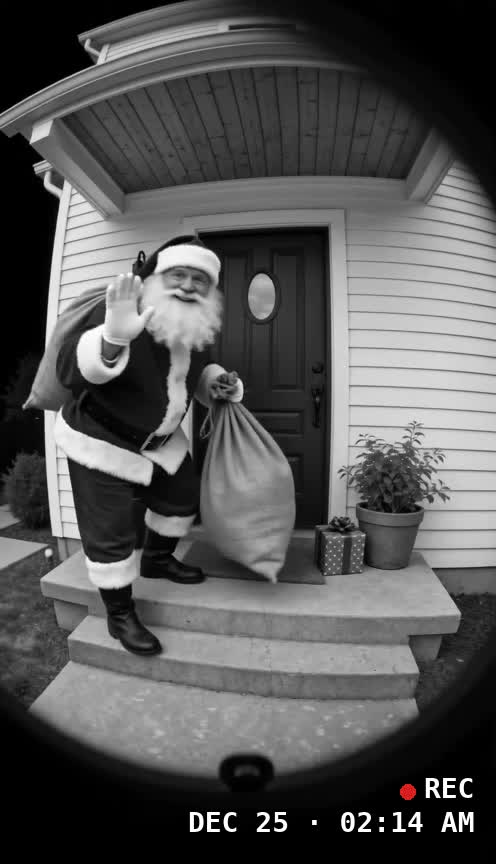
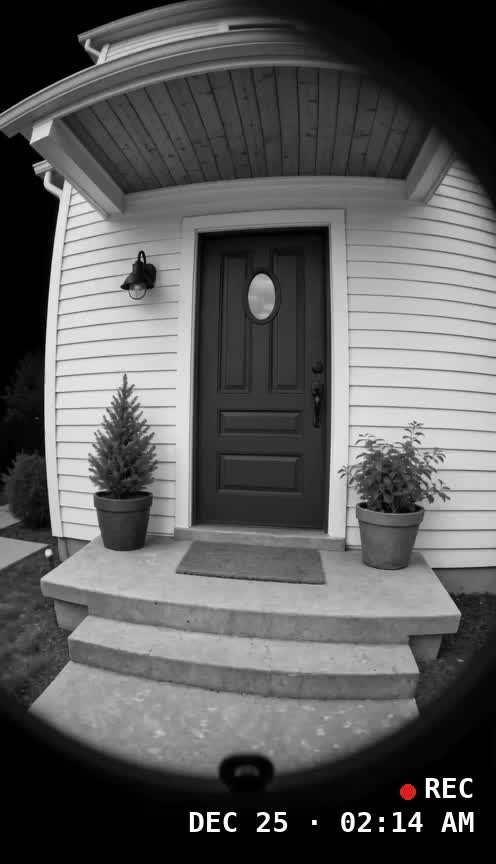
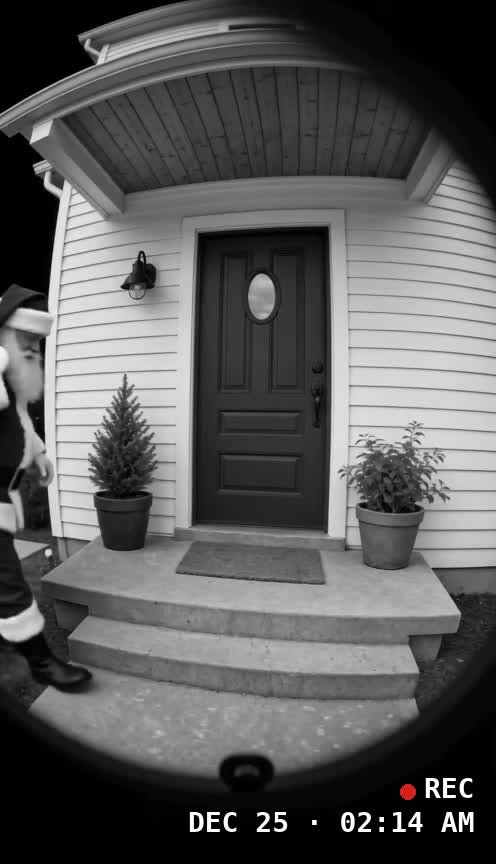
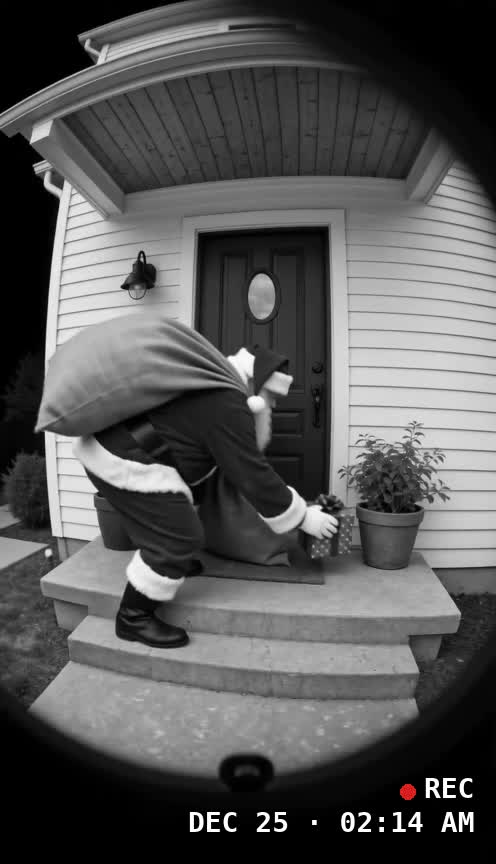
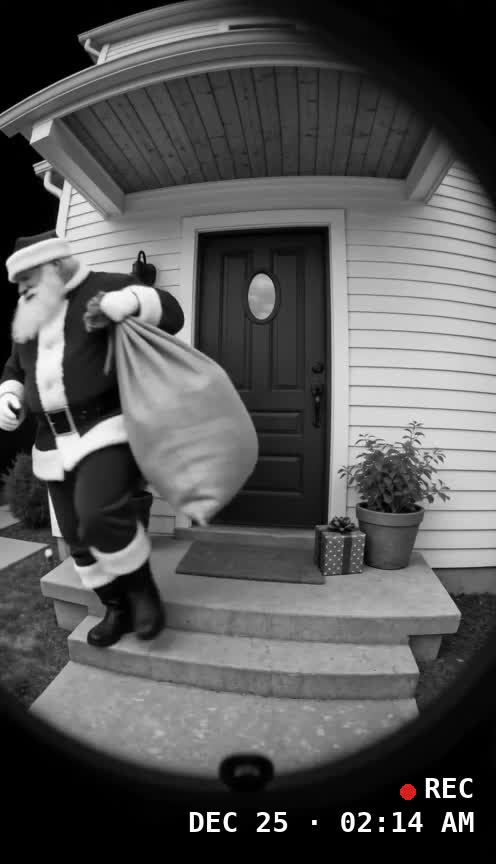
· Added front door doorbell scene
A Santa photo app makes a still image. This tool makes a video from the same kind of room photo.
An AI Santa message video is built around spoken greetings. This scene focuses on what the camera catches, without a personalized message.
Upload one photo of a room or front door to create a new clip. Existing security recordings cannot be edited here.
| Input | One empty living room or front door photo |
|---|---|
| Scenes | 2 · Living room and Front door |
| Output | 10s vertical MP4 with sound |
| Camera look | Night vision with a static REC overlay |
| Default cost | 5 credits |
Use one clear vertical photo of your empty room or porch.
Add your photo and choose Generate. The default is 5 credits for a 10s video.
Save the vertical MP4 and share it with your family on Christmas morning.
Make a Christmas morning surprise for your family.
Look what the camera caught last night.
#SantaCaughtOnCamera
He spotted the camera.
#SantaCaughtOnCamera
10 credits per 10-second video at Better · 480p. Starter: $6.99 for 10 credits (1 default video). Popular: $29.99 for 50 credits (5 default videos). Pro: $59.99 for 120 credits (12 default videos). One-time packs, no subscription. Credits never expire. At the Popular pack’s credit rate, a Better 480p video uses about $6.00 in credits. The full pack costs $29.99.
Yes. Upload one photo of your living room or front door and generate a night-vision Santa video without writing a prompt. Start with $6.99 for a Starter pack; our sample took about 3 minutes.
Take one photo from a high corner with the tree and floor in view, then upload it to make a fixed-camera night-vision clip with REC markings. The preset handles the prompt, a Starter pack costs $6.99, and our sample took about 3 minutes.
With Santa Caught on Camera AI, choose a scene, upload one photo and click Generate. No prompt or photos of your kids are needed; start with $6.99 for a Starter pack, and our sample took about 3 minutes.
Choose Living room or Front door, upload one photo of the scene, then generate and download the vertical MP4.
Yes. Start with a photo of an empty living room, and the tool adds Santa to a new video using that room as the setting.
Yes. The template has Santa walk to the tree, leave presents, then look at the camera and make a shh gesture.
This template uses paid credits. You can watch the example before buying a one-time pack.
Use the tool in your browser with a one-time credit pack. No subscription or app download is required.
Choose Front door and upload a still photo of your porch to create a doorbell camera-style video. The tool does not edit real recordings and is independent of camera brands.
Yes. Choose Front door and upload a photo that shows your doormat. Santa places gifts beside it and makes a shh gesture toward the camera.
Yes. The tool prepares your photo in a night-vision style and adds the REC markings to the finished video.
The template uses a fixed scene with no personalized spoken message. No photos of your kids are needed, just one photo of the empty room.
The model uses your photo to keep the room, tree and camera angle recognizable. Lighting and small details can vary between results.
Living room: Use one vertical photo taken from a high corner. Keep the lit tree and the floor beside it in view, with the room empty. Front door: Take a clear vertical photo with the front door, doormat and steps in view.
The video is 10 seconds long and has ambient-style sound, such as soft movement and footsteps. Play the sample with sound to hear the result.
Our sample took about 3 minutes to generate. Your wait can vary.
This shows Santa leaving presents in your room from a fixed camera angle. A Santa message video focuses on a spoken greeting.
Your photo is used to generate the order. See the Privacy Policy for how uploads are handled and Contact to request deletion.
A failed video is retried once. If it still fails, its credits return to your balance. See our Refund Policy.
It is an AI-generated Christmas clip made from a photo.
Meme AI Video is an independent tool and is not affiliated with Ring, Nest, Google or any security camera brand. All clips are AI-generated.
Meme AI Video is an independent tool and is not affiliated with Ring, Nest, Google or any security camera brand. All clips are AI-generated.